A complete guide to every feature in LUTScope.
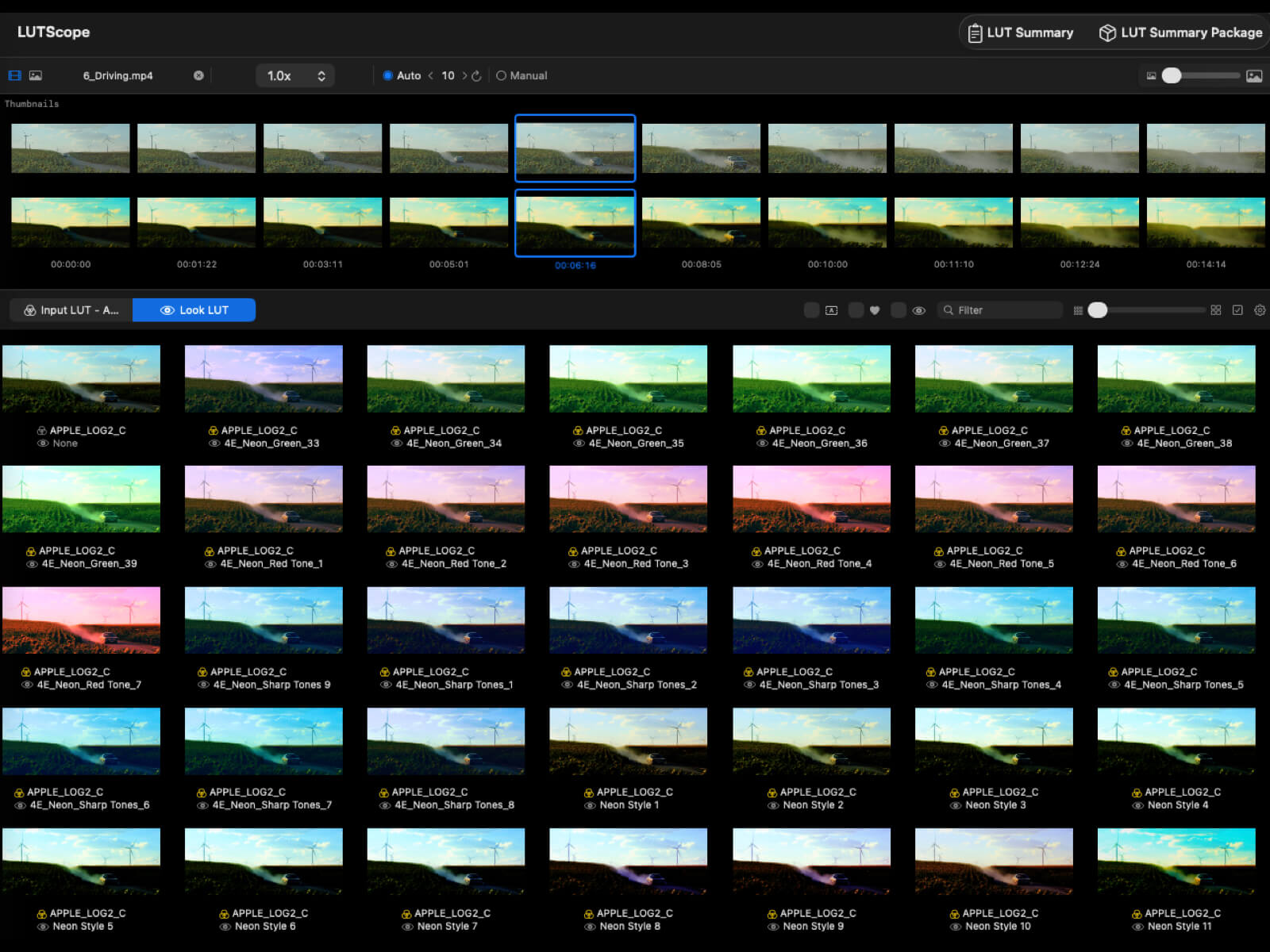
LUTScope is a macOS app that streamlines the color grading workflow for filmmakers. Browse hundreds of LUTs at a glance, preview them through a 2-stage pipeline of Input LUT (camera Log conversion) and Look LUT (creative grade), and quickly find the best look for your footage.
.cube format for both 1D and 3D LUTs (1D is auto-baked to 3D)| Item | Details |
|---|---|
| Supported OS | macOS only (not available on iOS) |
| Rendering | Core Image + Metal GPU acceleration |
| LUT Format | .cube (1D / 3D) |
| License / Billing | Mac App Store subscription (monthly / yearly) or a one-time direct license. Compare purchase options. |
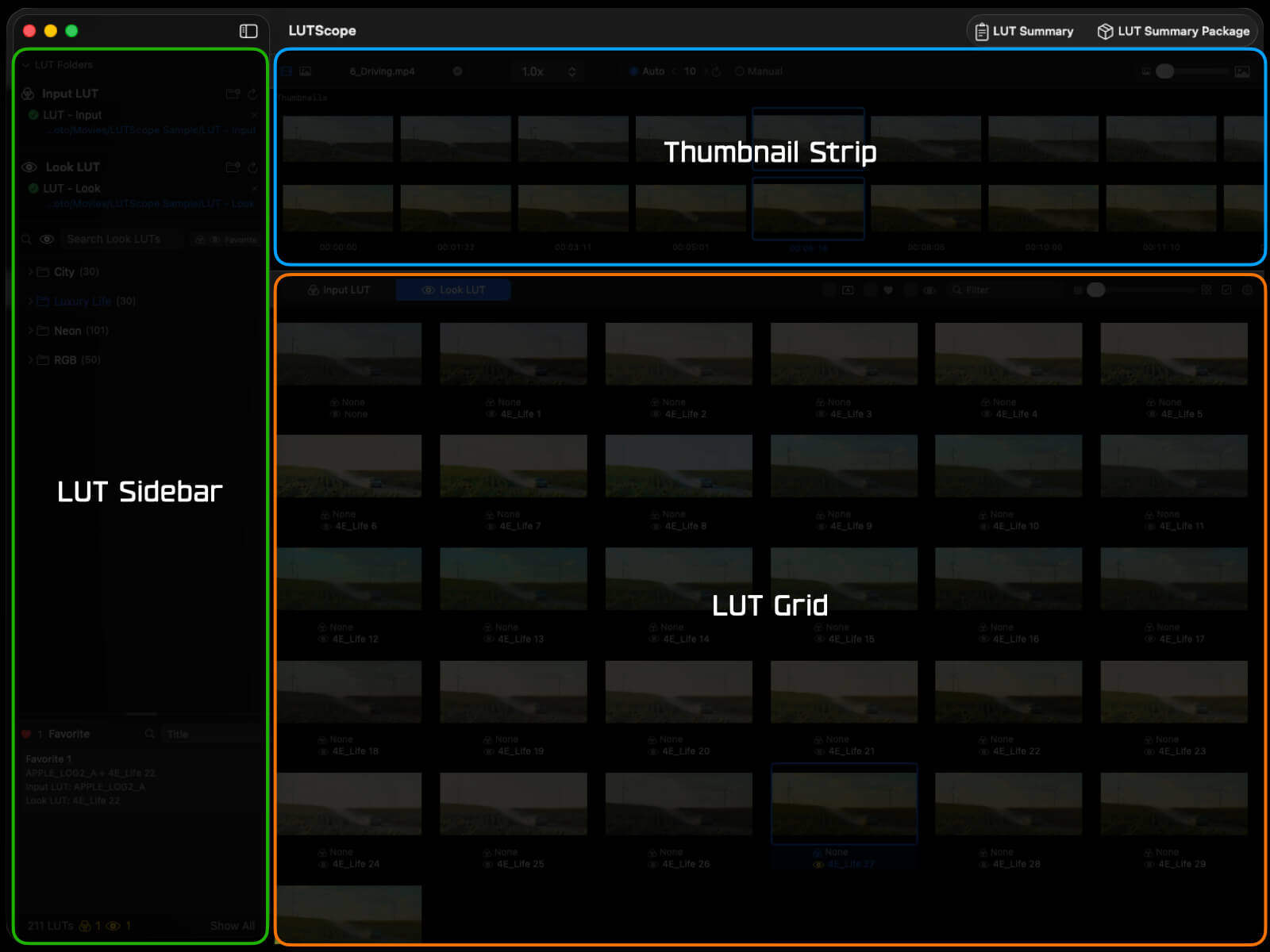
The LUTScope interface consists of three areas in the main window and dedicated sub-windows for specific tasks.
| Area | Position | Description |
|---|---|---|
| LUT Sidebar | Left | LUT folder tree, search, favorite filters, Favorite Section |
| Thumbnail Strip | Top-right | Video/still image import, frame extraction |
| LUT Grid | Bottom-right | Grid view of LUT-applied results, selection & comparison |
| Window | Description |
|---|---|
| Compare Window | Compare assigned slots (Grid / Side by Side / Slider) |
| Preview Window | Single LUT large preview (Look intensity 0–200%) |
| Settings Window | UI, rendering, and language settings |
| Subscription Window | Purchase & manage subscription |
Choose a Mac App Store subscription or a one-time purchase directly from SIA. Compare prices and purchase options.
Download the direct edition from SIA STUDIO STORE and activate it with the license key issued for your purchase. A direct license can be activated on up to 3 Macs. Updates are available from our download page. Direct purchases include a 14-day money-back guarantee; this is separate from the App Store free trial.
The Mac App Store edition uses a subscription. No license key or activation is required — your access is tied to your Apple ID. Every plan includes a 14-day free trial.
Both plans start with a 14-day free trial and renew automatically afterward. See the Mac App Store product page for current pricing.
In the Mac App Store edition, you can try most features even without an active subscription.
With an active subscription, the full LUT Grid and the 20-slot Compare are fully unlocked.
If you purchased under a different Apple ID or reinstalled the app, use Restore Purchases in the subscription window to restore your access.
Download LUTScope and start comparing LUTs in seconds.